HighPoint PAE Bundles Put 600W RTX PRO Blackwell GPUs in External Enclosures
- Harold Fritts
- 695 views
HighPoint’s three PAE bundles connect one or two GPUs over PCIe Gen5 x16, with 1300W of enclosure power and optional NVMe connectivity.
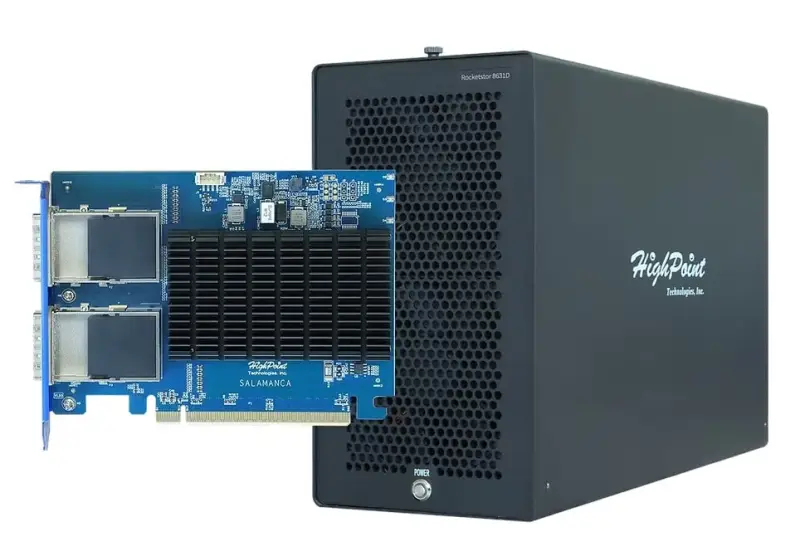
HighPoint’s PAE bundles give workstation and server teams a way to run an NVIDIA RTX PRO Blackwell Workstation Edition GPU outside the host chassis. The RocketStor 8631D enclosure provides the card with a separate 1300W power supply and cooling, while a PCIe Gen5 x16 CopprLink cable connects it to a single-width host adapter. That layout may help where a system cannot accommodate a 600W card such as the RTX PRO 6000 because of space, power or thermal limits.
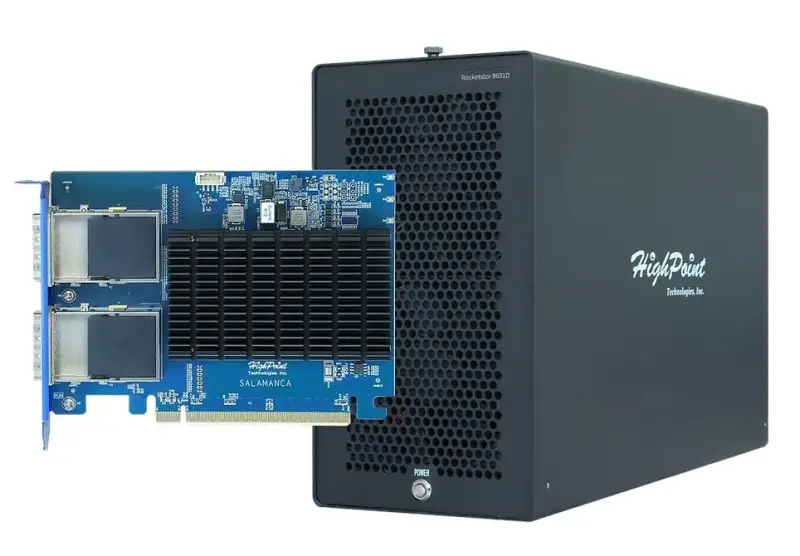
The product range has three configurations: one centered on an external GPU, one that adds NVMe connectivity, and one designed to connect two GPUs. The choice affects the host adapter and available data paths, so teams should match the bundle to their intended GPU and storage layout before ordering. HighPoint says the bundles are available directly and through sales channels, with configurations varying by region; it has not published pricing.
What the external link and enclosure provide
Each bundle connects through a PCIe Gen5 x16 CopprLink CDFP cable. HighPoint rates the link at up to 64GB/s of theoretical bandwidth before protocol overhead. The enclosure ships with a 1-meter cable, and the company says the connection works at lengths up to 2 meters. An Astera Labs retimer in the RocketStor 8631D helps maintain the Gen5 signal across the cable.
The host adapter occupies one slot width, leaving room inside the system for other cards, such as network or storage adapters. The external enclosure accepts one full-height GPU up to three slots wide and 370mm long. Its 1300W supply powers the card through a 12VHPWR connection, independently of the host’s power supply. HighPoint says the supply can handle transient spikes of up to about 1200W.
Moving the GPU outside the chassis also moves its heat away from the host’s internal components. Two enclosure fans have automatic control and five manual speed settings. HighPoint measured noise at 65.9 dBA from one meter under its full-load test configuration. The company hasn’t specified which GPU, fan setting or ambient conditions produced that result, so it gives teams a reference point rather than a complete picture of noise in their own installation.
Three bundles, three host adapter designs
The RocketStor 8631DW is the single-GPU option. It includes a PCIe Gen5 x16 host adapter, one RocketStor 8631D enclosure and the CopprLink cable. HighPoint positions it for systems that can’t fit, power or cool a multi-slot GPU internally. For administrators, the key check is whether the host supports the GPU in a standard PCIe slot and has a suitable place to connect the adapter.
The RocketStor 8631DH combines an external GPU connection with NVMe support. Its switch-based adapter has the CopprLink port and two internal MCIO 8i ports. HighPoint lists support for one GPU and up to 16 NVMe drives, with connections to industry-standard UBM backplanes. It also describes hardware-level peer-to-peer paths between the GPU and NVMe devices. Those paths support the data flow used by NVIDIA GPUDirect Storage, which can load data without staging it in host memory. Teams considering this bundle will need to check their backplane and drive arrangement alongside GPU compatibility.
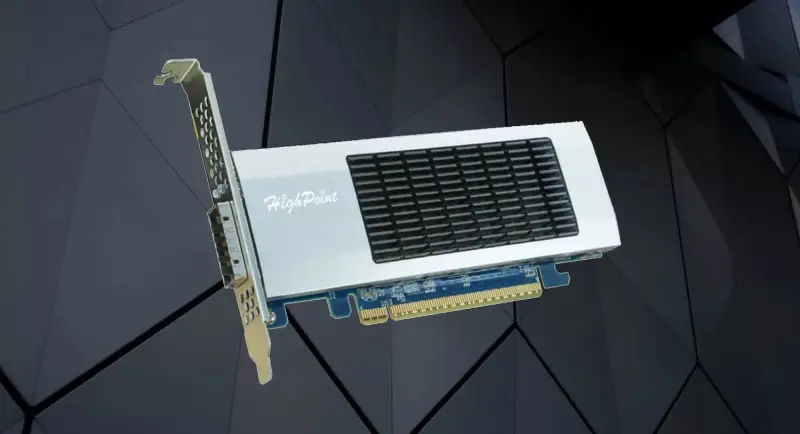
The RocketStor 8631DD uses a host adapter built around a 48-lane Broadcom PCIe Gen5 switch. It provides two external x16 CopprLink ports and supports two GPUs, with switch-level peer-to-peer paths between them on compatible systems. The standard bundle includes one 8631D enclosure; the second enclosure is sold separately. Each one adds another 1300W supply, and HighPoint says a dual-enclosure setup depends on the electrical capacity available at the installation site. That makes site power a practical planning item for teams considering two cards.
Compatibility checks before deployment
HighPoint says the bundles have native support on Windows and Linux with Intel and AMD x86 platforms. The host must already support the GPU in a standard PCIe slot, so external placement doesn’t remove the need to verify host and GPU compatibility. HighPoint offers a complimentary Server and GPU Compatibility Review with configuration guidance before purchase. Availability and bundle configurations can vary by region.
For IT teams, the deployment questions are concrete: whether the host has an available slot for the adapter, whether the selected bundle matches the number of GPUs and NVMe drives, and whether the site can supply power for the enclosure or enclosures. The cable’s maximum stated length also constrains where the GPU can sit relative to the server or workstation. Noise and cooling requirements deserve a local check, since the published sound reading lacks details about the test conditions.
HighPoint’s PAE range extends its work on Gen5 switch adapters and follows its move into Ethernet products with the Rocket 9500A NIC series. The company has also introduced Gen5 NVMe boot, RAID and switch adapters. For teams weighing external GPU deployment, the central decision is whether the added placement and power flexibility fits their workload and site constraints, and which adapter provides the necessary GPU-to-storage connections.