Search Listening: The Consumer Insight Your Surveys Miss
- NetworkInterview
- 325 views
Search bars capture the doubts people won't voice in surveys. Here are seven search listening tools, with pricing and fit, for market research teams.
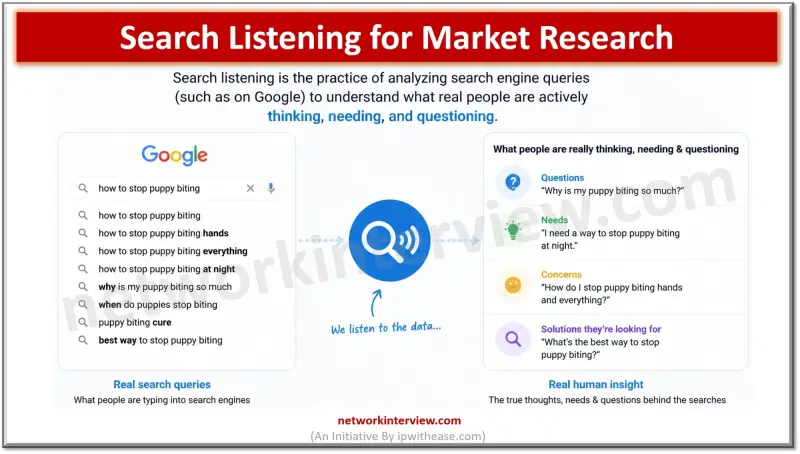
A survey respondent knows someone is reading the answer. A focus group participant knows strangers are watching through a one-way mirror. But a person typing into a search bar at 11pm, alone, trying to decide whether a product is worth the money, isn't performing for anyone. That's the case for search listening in market research. It treats the search box as the research instrument, not the questionnaire.
The gap matters most where surveys are weakest: doubt, comparison shopping, and complaints people aren't ready to say out loud. I looked at seven tools built to mine that behaviour and ranked them by how directly they turn raw searches into something a marketing or product team can act on.
What search listening actually captures
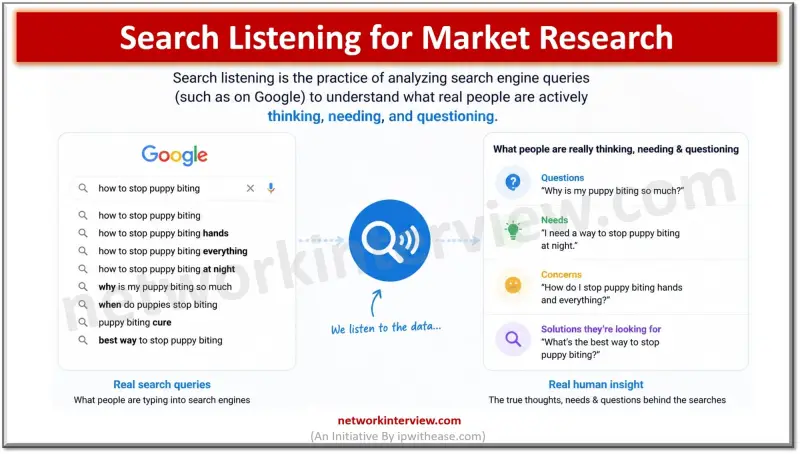
Search listening means studying what people type into search engines, including autocomplete suggestions, People Also Ask boxes, related searches, YouTube search, and increasingly AI chat prompts. It's worth separating it from social listening. Social listening tracks what people say in public posts, comments, and reviews. It shows you how people perform their opinions. Search listening shows the question someone typed when they assumed nobody was watching.
That difference is where the research value sits. A survey asks a structured question and collects a polite answer. A search bar collects the blunt version: "is it worth it," "why doesn't it work," "alternative cheaper." Roughly a fifth of the searches Google sees each day have never been entered before. People keep generating fresh, specific phrasings of the same doubts, in wording no questionnaire template would predict.
The seven tools, ranked by how far they carry the insight
1. AnswerThePublic
This one suits researchers, content marketers, and product teams who want to start from what people actually ask. It covers Google, YouTube, ChatGPT, Reddit, and more, so you can see the same underlying question across the platforms where it appears. Its question wheel (Questions, Prepositions, Comparisons, Alphabetical, Related) surfaces exact phrasing, which is often more useful for a research brief than a volume figure. Paste in a site URL and it generates a Business Summary covering what the business sells, who it sells to, and which topics are worth owning.
Pricing starts with a free plan. Paid tiers are Starter at $10/month (1 user), Growth at $49/month (up to 3 users), and Business at $99/month (up to 10 users), billed monthly, with four months free on yearly billing. Monthly AI article allowances are 6, 35, and 80 across those tiers. Its standout is that it's the only tool here that carries a research finding through to a finished content draft in the same place. That matters because research that dies in a slide deck doesn't change anything.
2. AlsoAsked
AlsoAsked maps how one question branches into related questions inside Google's People Also Ask. Its visual question trees go several levels deep, which makes it easy to show a stakeholder how one consumer doubt leads to three more. It also offers multi-country and multi-language data, useful for teams researching more than one market. Pricing is Basic at $15/month ($12/month billed annually), Lite at $29/month ($23 annually), and Pro at $59/month ($47 annually), with three free searches per day.
3. Keyword Tool
Keyword Tool is for teams that want autocomplete suggestions from several platforms at once. A single search pulls from Google, YouTube, Bing, eBay, the App Store, and Instagram. A free version returns ideas without an account. Paid plans are Pro Basic at $89/month ($69 annually), Pro Plus at $99/month ($79 annually), and Pro Business at $199/month ($159 annually). The strength is breadth. Autocomplete is a blunt signal, so you'll still need to read the output closely.
4. Google Trends
Google Trends is free, needs no account, and answers a narrower question well: is interest in this topic rising or falling? You can compare periods and break results out by region and category. The trade-off is that it returns a relative 0-100 index rather than question-level phrasing. Treat it as a directional check, not a source of customer wording.
5. Exploding Topics
Exploding Topics is built for spotting a shift in consumer interest before it appears in a standard keyword report. It offers a curated database of trending topics with growth charts attached, plus a free public trend library you can browse before paying. Plans are Entrepreneur at $39/month, Investor at $99/month, and Business at $249/month, billed annually. Its growth trajectory charts are the feature to watch when you're judging whether a category is still accelerating.
6. Glimpse
Glimpse takes the relative index from Google Trends and converts it into an estimated absolute search volume. It also ships a Chrome extension that layers directly onto Trends. There's a free Hobbyist tier with a small monthly lookup cap. Paid plans aren't listed on a public pricing page, so you'll need to request pricing directly before budgeting for it.
7. Semrush
Semrush makes sense for research teams already running a full SEO suite. Its Questions filter inside Keyword Magic Tool isolates what, how, and why searches, and it groups related terms automatically by topic. Pricing is Pro at $139.95/month, Guru at $249.95/month, and Business at $499.95/month, with lower rates on annual billing. Here's the thing: question filtering is one feature in a much larger platform, not a dedicated research product. If you're not already paying for the suite, the cost is hard to justify for search listening alone.
Side-by-side fit
| Tool | Best for | Entry price | Free plan | Best team size | AI writing |
| AnswerThePublic | Consumer insight from real search phrasing | $10/month | Yes | Solo / SMB / Agency | Yes |
| AlsoAsked | People Also Ask question trees | $15/month | Yes (3 searches/day) | Solo / SMB | No |
| Keyword Tool | Multi-platform autocomplete mining | $89/month | Yes (ideas only) | Solo / SMB | No |
| Google Trends | Directional interest tracking | Free | Yes | Any | No |
| Exploding Topics | Early trend detection | $39/month | Yes (public library) | Solo/SMB to Enterprise | No |
| Glimpse | Estimated absolute search volume | Free tier | Yes | Solo/SMB to Enterprise | No |
| Semrush | Question research inside an SEO suite | $139.95/month | No | SMB / Enterprise / Agency | Partial |
Turning search data into findings
Start with the question you need answered, not the tool. If you're asking what's stopping people from buying, look at comparison and objection language: "vs" searches, "is it worth it," "not working." If you're asking whether demand is growing, a directional tool like Google Trends will answer faster than a keyword list.
Then pull the raw phrasing before you summarise it. The exact words people use are the valuable part, because they tend to end up in ad copy and objection-handling scripts later. A single pull is only a snapshot. Tracking phrasing month over month turns a one-off exercise into an ongoing read on how the market feels, and it shows you when a complaint is fading or a new worry is taking hold.
Questions teams tend to ask
Is search listening the same as social listening? No. Social listening tracks public posts, comments, and reviews. Search listening tracks what people type into a search bar, often privately, which tends to surface more candid doubts than a public post would.
What can search listening show that a survey can't? A survey depends on someone being willing to tell a researcher something. A search has no audience, so it tends to capture the blunter version of a question: a direct objection, a price complaint, or a comparison a respondent might soften in an interview.
How often should a team review the data? Monthly is a reasonable baseline, since search phrasing shifts as products, pricing, and perception change. Teams tracking a launch or a fast-moving category may want to check weekly.
Do you need a paid tool to start? No. Google Trends is free and gives a directional read on rising or falling interest. AnswerThePublic also has a free plan, and it adds question-level phrasing and a route from that phrasing to finished content, which a free trend index doesn't provide.
My read is that the tool matters less than the discipline of pulling real phrasing on a schedule. Teams that do that will hear the objections their surveys never got to, and that's the part of market research most likely to change a campaign or a product page this quarter.


