Four Pages That Do the Selling: Building a Small Business Site on WordPress.com
- Wes Theron
- 885 views
A small business site is often the first judgment a prospect makes. Here's how to build four core pages with WordPress Agent and test the contact flow before launch.
Think about the last time you looked up a local florist, bookkeeper, or coach. You checked their site before you picked up the phone, and within seconds you had formed an opinion. For most small service businesses, the website is the first sales conversation, and it runs whether or not you're at your desk.
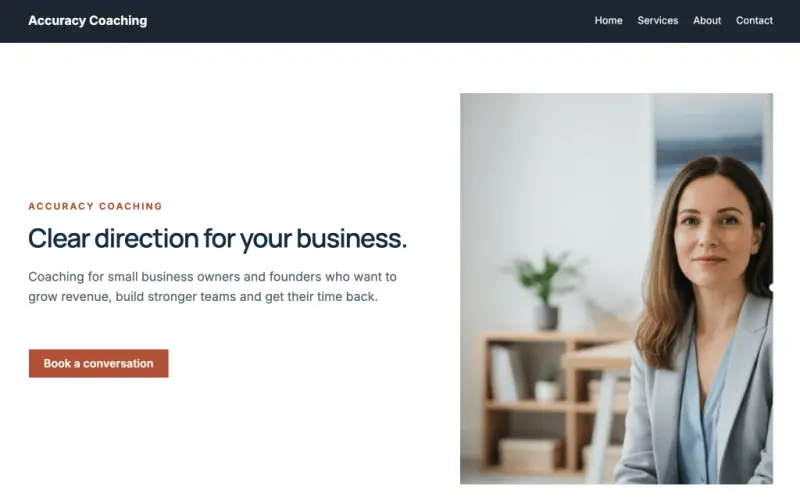
That makes the build worth getting right. The walkthrough below uses Accuracy Coaching, a site for Sarah, who helps small business owners with planning and growth. The site was built with the WordPress Agent, WordPress.com's AI website builder, and the same approach applies to most service businesses.
Four pages that cover most of the work
Start with what a prospect needs to know before they make contact. For a service business, four pages do most of the heavy lifting.
Homepage: say what you do and what happens next
Tell visitors what you do, who you help, and where you work if you serve a particular area. A homepage that explains the business but never suggests a next step is like a shop with no door handle. People can see the window but don't know how to come in.
On the Accuracy Coaching homepage, a button sits below the opening paragraph and takes visitors to the Contact page. Pick the one action that fits your business and repeat it where readers are most likely to be ready, such as after your services section. One clear ask outperforms five competing ones, and that's the practical reason to keep it simple.
Services: spell out what the customer gets
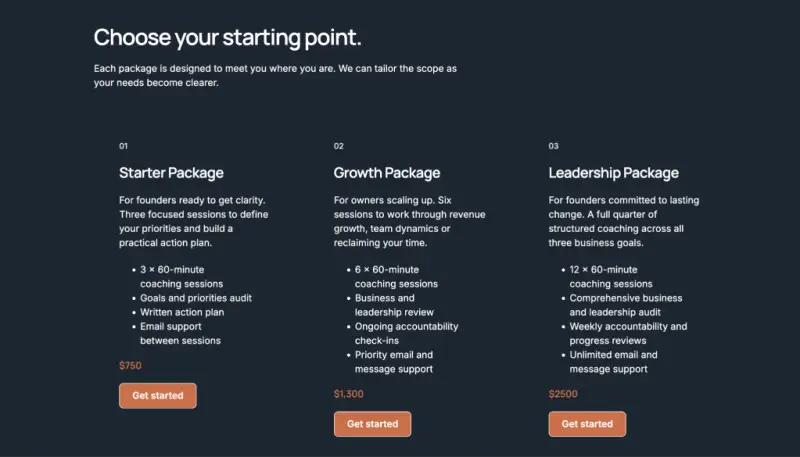
Nothing stalls a buyer faster than not knowing what you sell. Give services their own page and explain what each one is, who it's for, and what the client receives at the end.
Share pricing where it makes sense. If you quote per project, explain how the quote works so people know what to expect before they call. The Accuracy Coaching Services page includes a section for packages and pricing. Clarity wins over cleverness here.
About: let people meet the person behind the business
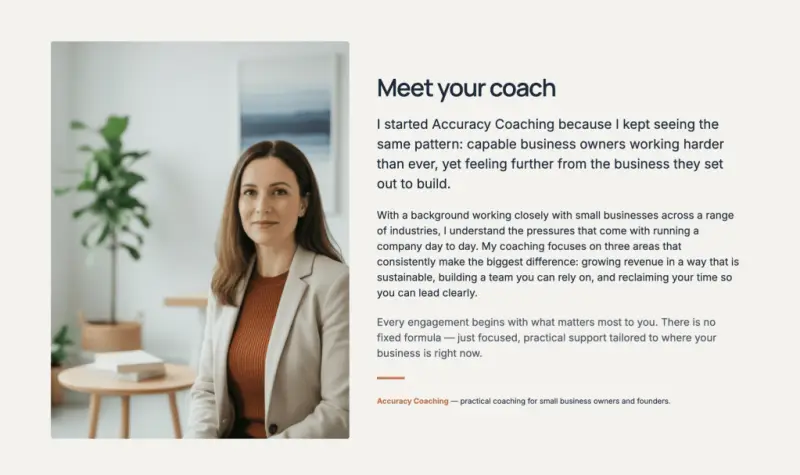
People like buying from people. Explain why you started, what you care about, and how you work with clients. A few personal details make the story easier to remember, and they give a prospect something to connect with before the first call.
Add a team photo, or a photo of yourself if you work solo. If you have staff, introduce each person and their role so visitors know who they'll be working with.
Contact: make it easy to reach you and answer the obvious questions
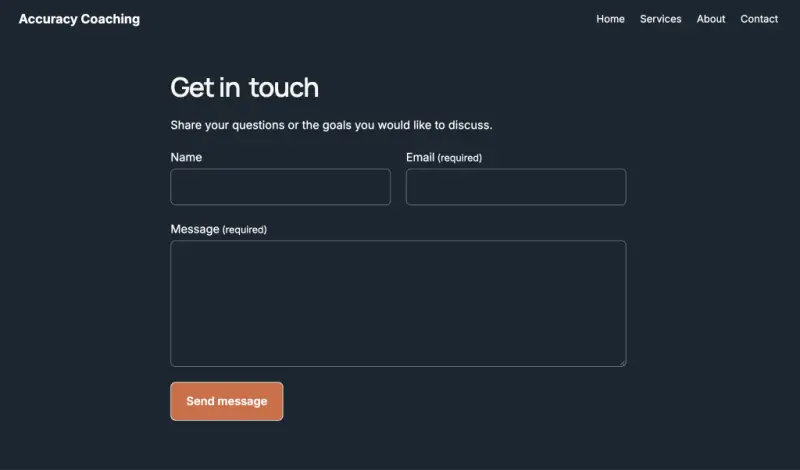
Give people a clear route to you. The Accuracy Coaching Contact page includes a form. If you're setting up your own form, ask only for the details you'll need to reply.
Think about the questions you answer over and over. How long does it take? What's included? How do I get started? Accuracy Coaching added an FAQ section so prospects can find those answers without making a call. Keep the answers short and plain, and place them where people are likely to look.
Building the first draft with WordPress Agent
Starting from a blank page is the hard part. The WordPress Agent works from plain-language instructions, so describe your business the way you'd brief a designer. Say what you do, who you help, and the feel you want.
For Accuracy Coaching, the starting prompt was:
Prompt
Build a website for Accuracy Coaching. Sarah helps small business owners with planning and growth. Give her a place to explain her coaching services and make it easy for prospective clients to get in touch.
Review the site brief before the agent builds the pages, and adjust anything that's off. After that, you can ask it to change colors, fonts, text, and images, or make edits by hand. Treat the output as a strong first draft rather than a finished product.

Test the contact and booking flow before launch
Open the site on your phone and do exactly what you're asking customers to do. On the Accuracy Coaching site, that means tapping the homepage button and sending a test message through the Contact form. Confirm that you see a confirmation and that the message reaches your inbox. A broken form is the most expensive bug on a service site because nobody reports it. They just leave.
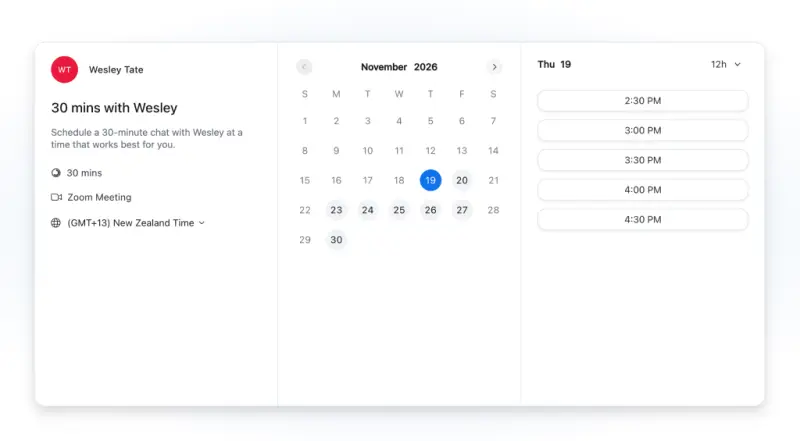
If you take appointments, you can put a booking calendar directly on the site. The walkthrough shows the Zoom Scheduler block as an option for businesses that already use Zoom Scheduler. Visitors pick an available time and book without emailing back and forth.
Before you go live, check that your hours, prices, and contact details are current everywhere they appear, including the footer and any FAQ answers. Then look at your email. Professional email runs on your own domain, so messages match your brand from the first reply.
The site doesn't need to be perfect on day one. Once people can see what you offer and how to reach you, it's ready to launch. You can refine it as the business grows.
Help AI assistants describe you accurately
More people now ask AI assistants for recommendations, not just search engines. Nobody can promise you'll be the name that comes back. A clear, well-organized site still gives you the best starting position, and the habits that help people also help these tools.
Here's what helps:
- Show proof: Testimonials, reviews, and mentions elsewhere on the web all build a picture of who you are.
- Say what you do in plain words: Name your services, who they're for, and where you work, on the homepage and the About page.
- Keep your details consistent: Use the same business name, address, and contact details everywhere they appear.
- Use real questions and descriptive headings: FAQ entries and page titles should match how customers actually talk.
- Keep it current: Outdated hours and prices are easy for people and AI tools to spot, and they undercut trust fast.
Think of the last person who asked about your business. What would you want them to see first? Describe that to the WordPress Agent, review the draft, and fix the details that don't match how you work. Once a visitor can see what you offer and how to get in touch, the site is worth sharing.