BLUETTI Elite 400 Trades Ports for Capacity and Wheels, With a 6ms Switchover
- Dylan Bryan
- 384 views
BLUETTI's Elite 400 pairs 3,840Wh with wheels and a 6ms switch to battery, but it drops the Elite 300's RV outlet and 12V/30A DC port.
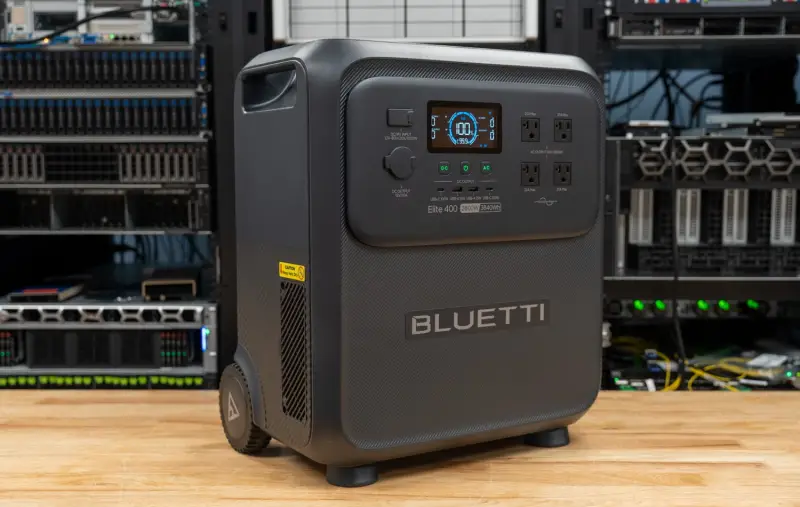
The Elite 400 is the first BLUETTI unit in our testing to ship with integrated wheels and a telescoping handle, and that matters more than the spec sheet suggests. A 3,840Wh LiFePO₄ battery is big enough to keep a refrigerator, a network rack, a desktop and a television running through a long outage, not just to bridge a shutdown. But at 85.98 pounds (39 kg), it's a unit you'll want to plan around rather than lift on a whim. Here's what it does well, where it asks for compromises, and what to check before you put it in a closet or a garage.
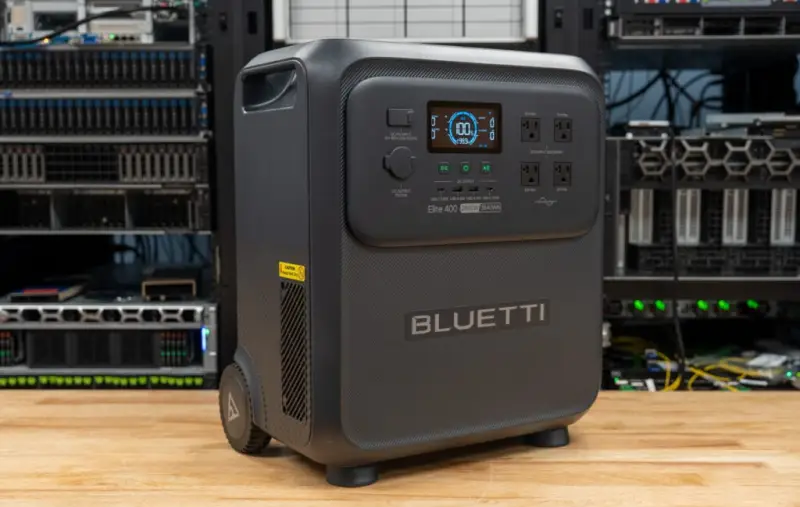
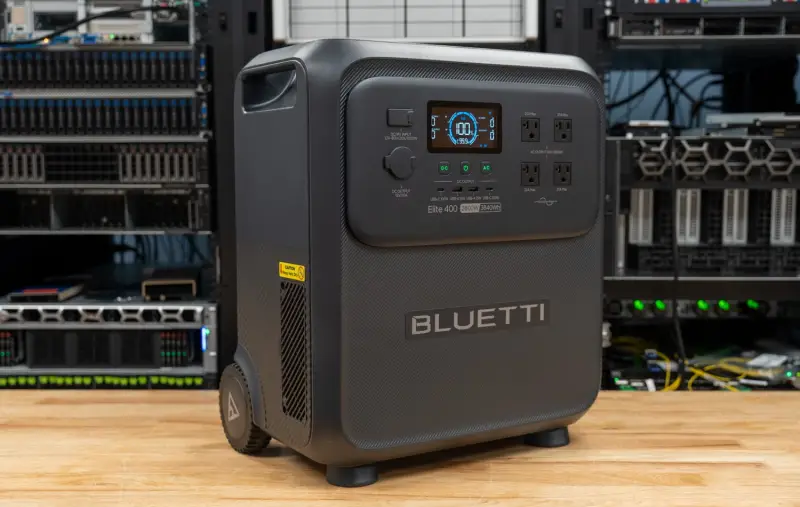
What the battery actually delivers
The 3,840Wh rating is nominal, and the delivered energy at the AC outlets will always be lower because of inverter losses and the unit's own overhead. In testing, a blower fan served as a steady inductive load, with a power meter placed between the unit and the fan to measure output until shutdown. The Elite 400 delivered 3.07kWh before the battery was fully depleted. That's about 80 percent of the rated figure.
Recharging from 0 to 100 percent drew 3.96kWh from the wall. Divide one by the other and you get a round-trip efficiency near 78 percent, which is worth keeping in mind if you plan to run the unit on solar or to cycle it daily.
Runtime is where the bigger battery pays off. At a 740W workstation load, 3.07kWh works out to a little over four hours. At a 100W networking load, the testers estimated roughly 30 hours. For comparison, the same estimates put the Elite 300 at about 3.6 hours and 27 hours. Actual runtime will depend on the connected load, operating temperature and cell health, so treat those numbers as a planning baseline rather than a guarantee.
The switchover numbers
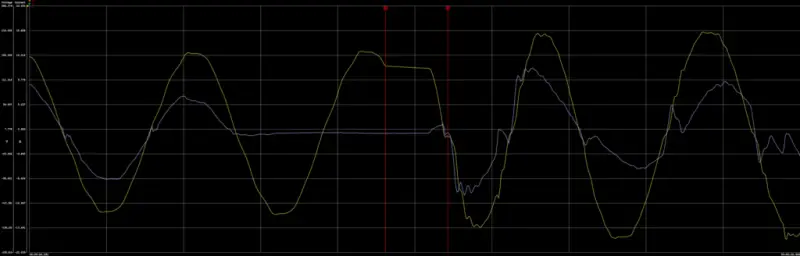
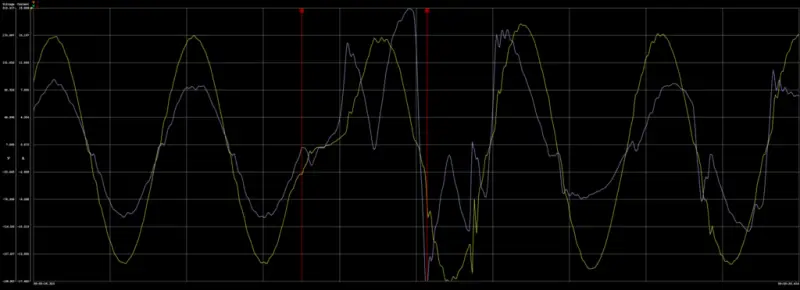
BLUETTI rates the UPS transfer at 15ms. With a Dell workstation drawing roughly 740W through a Quarch power analyzer, the testers measured a 6ms transition from utility to battery and a 14.8ms transition back. Both sit inside the rated figure. Across two interruption cycles, the workstation didn't drop.
The return to utility is the more interesting number. The waveform looked noisier for a few cycles while the unit resynchronized to the line, and that's visible in the capture. The Elite 300 measured 8ms in both directions in its own testing, with 8.25ms on the way back. So the Elite 400 gets to battery faster but takes longer to return. For this workstation, the difference didn't cause a problem. For a sensitive load, it's the figure to check against what the equipment tolerates.
BLUETTI's user manual says the UPS function isn't intended for data servers or workstations that need a high-performance UPS. That's a clear line. Our read is that the unit suits a home-office desktop, a router and switch stack, or a modem that you'd rather not reboot after every flicker. For anything where an interrupted shutdown is expensive, a dedicated online UPS is still the more conservative choice, and that's true whatever the test results show.
Outlets, load sharing and the 20A question
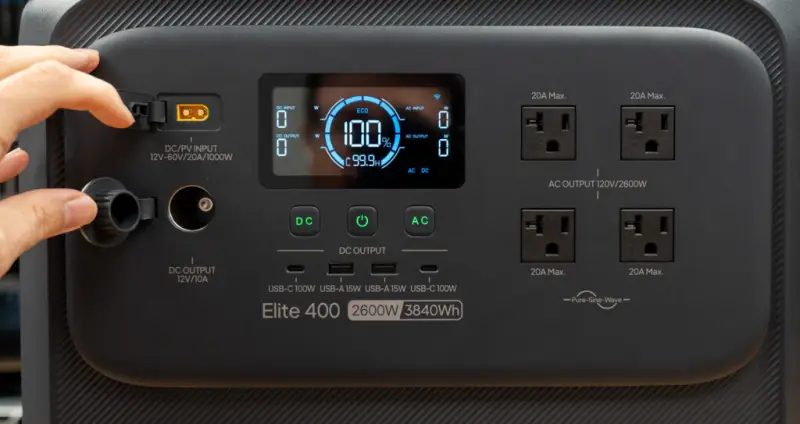
The unit has four NEMA 5-20R AC outlets rated at a combined 2,600W continuous at 120V, 50/60Hz. The receptacle type doesn't give each outlet its own 2,600W budget. The inverter's limit is the only ceiling.
BLUETTI's documentation doesn't explain how the outlets are wired, so the testers opened the unit and checked. The four outlets are tied together behind the panel on a shared line and neutral, with no per-outlet protection. A NEMA 5-20R is rated for 20A, which is 2,400W at 120V, or 1,920W under the 80 percent rule for continuous loads. Few plug-in devices draw that much, but a single outlet could in principle be asked for more than its rating. The practical rule: keep any one heavy continuous load under 1,920W and spread the rest across the other receptacles.
Surge and lifting figures are separate from the continuous rating. BLUETTI lists a 5,200W surge rating and a 3,900W Power Lifting rating. Surge applies to brief demands, and neither figure raises the 2,600W continuous limit. Check BLUETTI's guidance on supported loads before you connect anything with a motor or a compressor. Resistive loads like kettles, microwaves and space heaters use headroom quickly, while networking gear, lighting and chargers leave a lot more.
Charging, input limits and solar
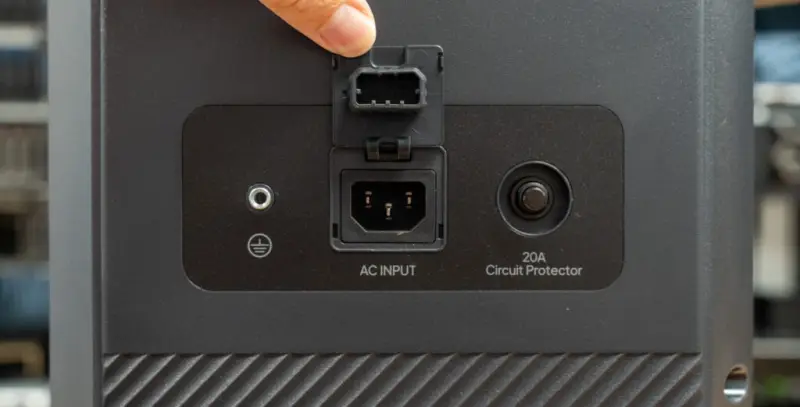
AC input comes through an IEC C14 inlet and can draw up to 1,800W from the wall. BLUETTI's product page doesn't list a separate bypass rating. That makes 1,800W the number to plan around for what the grid can feed through the unit to connected loads while it's plugged in. The 2,600W figure governs what the battery can push out.
Solar input tops out at 1,000W, with a 12 to 60V range and a 20A maximum. Combined AC and solar input is rated up to 2,800W. Actual solar intake depends on panel configuration, sunlight, temperature and similar conditions, so the advertised ceiling won't be what you see on a cloudy afternoon. The Elite 300 accepted 1,200W of solar, so the Elite 400 gives up 200W on that front while keeping the same 1,800W AC input.
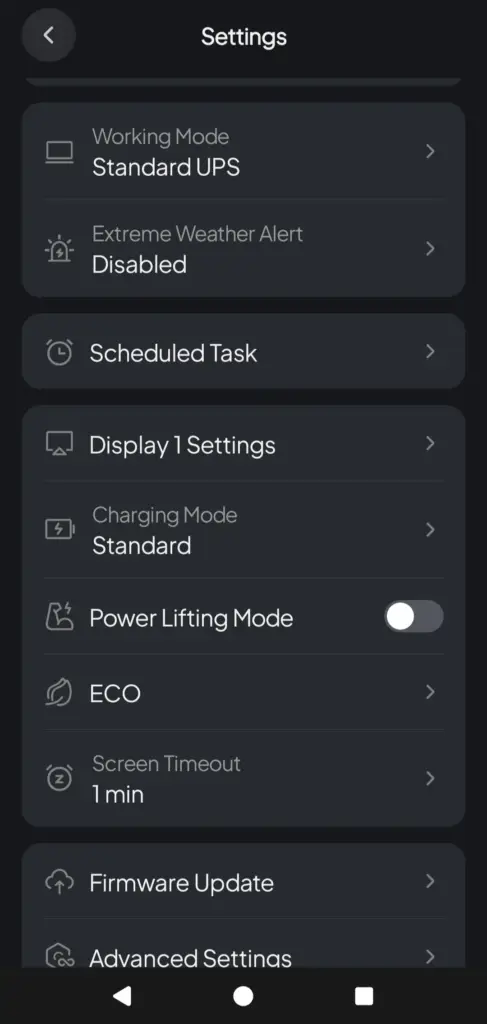
The BLUETTI app exposes charging modes that trade heat and noise against speed. Silent charging is slower and doesn't ramp the fans. Turbo keeps the unit cooler by running the fans harder. Standard sits between them. A custom option lowers the maximum grid charging current, which is useful on a high-load circuit or an unreliable supply. Power Lifting is in the same settings menu.
Mobility and the weight question
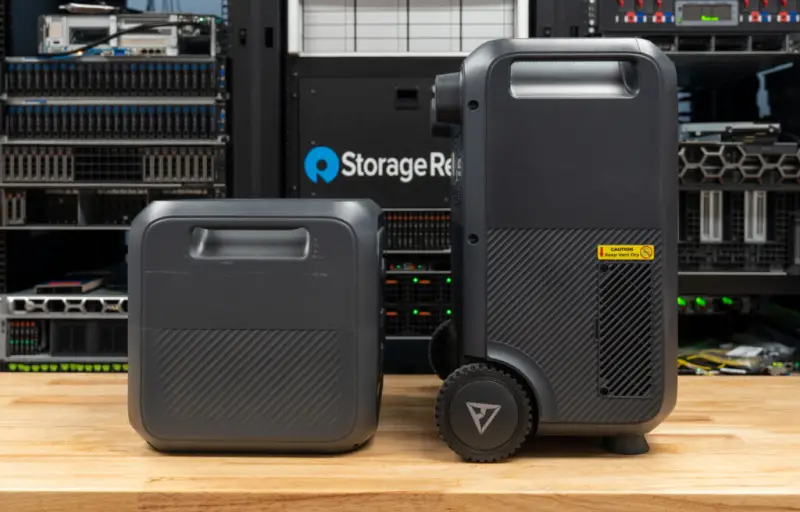
The enclosure measures 17 × 11.34 × 19.29 inches (432 × 288 × 490 mm) with the handle retracted, and 41.02 inches (1,042 mm) with it extended. That's taller and narrower than the Elite 300's 14.41 × 12.01 × 11.71 inches. The Elite 400 is about 2.5 inches wider, 3/4 inch shallower and 7.6 inches taller, while carrying 800Wh more capacity. Rubber pads on the rear let it lie flat for storage or transport without tipping.
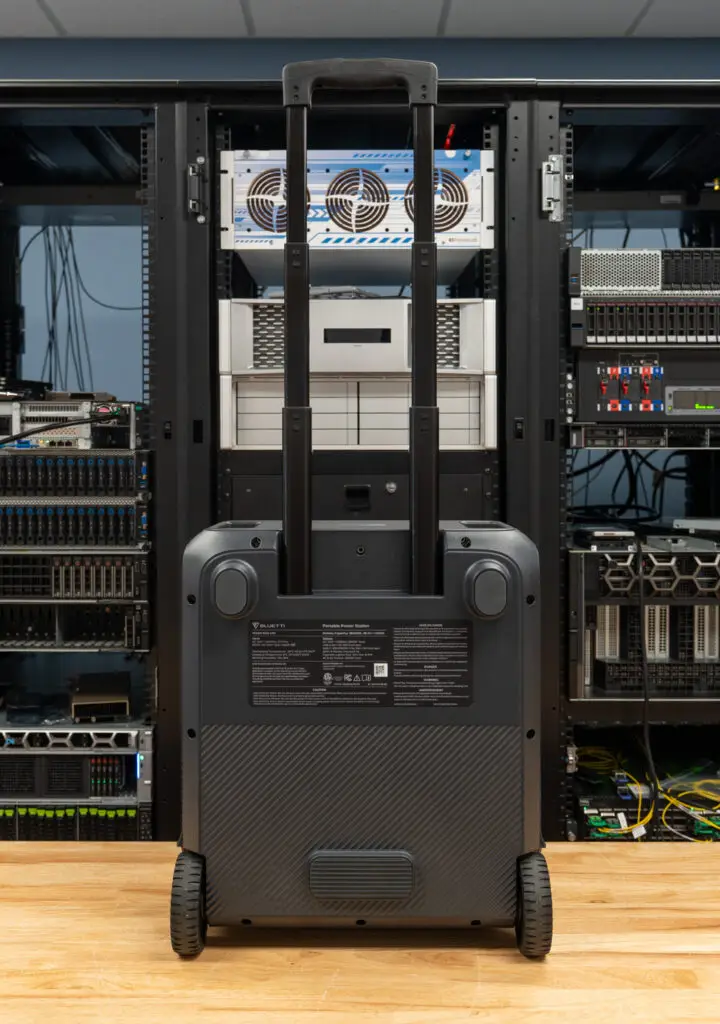
Wheels and a handle do most of the work when you're moving a unit this heavy between a storage spot and the equipment it powers. They're less helpful on gravel, soft ground or thresholds. The wheels aren't especially wide or tall, so the testers flagged rough surfaces as a weak point at this weight. BLUETTI claims the unit is up to 35 percent lighter than some competitors for its capacity. That may be true, but 86 pounds is still a two-person lift on stairs or into a vehicle.
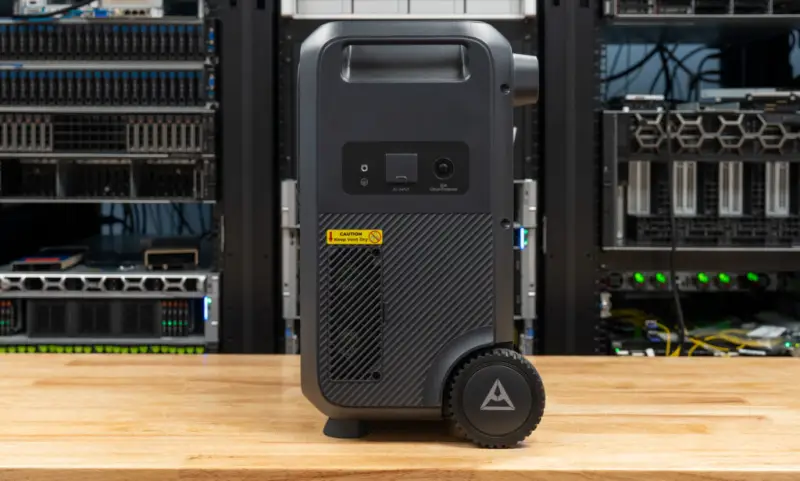
The vent layout also changed. The Elite 300 had front and rear vents. The Elite 400 moves to removable left and right side vents, which makes dust cleaning easier but puts the vents near wherever the unit sits against a wall. Leave clearance on both sides.
Ports: what stayed, what went
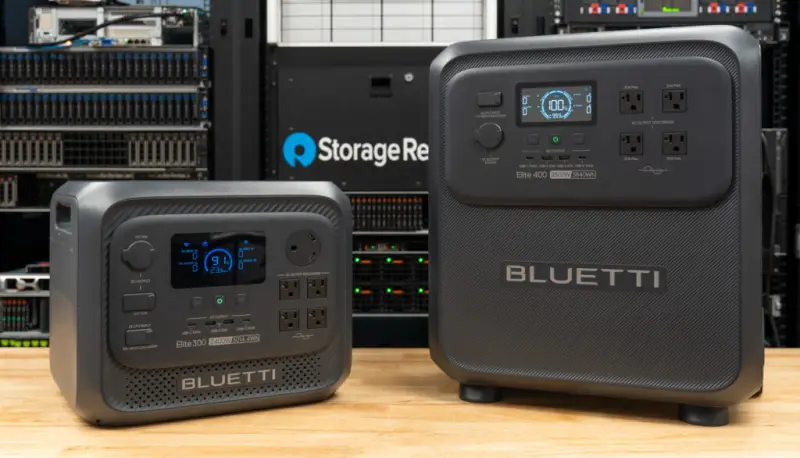
The Elite 400 has nine outputs in total: four AC outlets, two 100W USB-C ports, two 15W USB-A ports and a 120W cigarette-lighter socket. USB-C is the useful part for laptops and tablets, because it lets you charge them directly and skip an AC-to-DC conversion through their wall adapters.
The trade-offs are real. The TT-30 RV outlet and the 12V/30A DC output from the Elite 300 are gone, and the Elite 300's 140W USB-C port becomes a second 100W port. If you're running an RV or a DC-powered install, those missing connections could decide the purchase. BLUETTI hasn't explained why they were dropped, and the Elite 400 isn't marketed with the "RV Ready" language used for the Elite 300. It's odd to see those ports on only one model in the same family.
The app
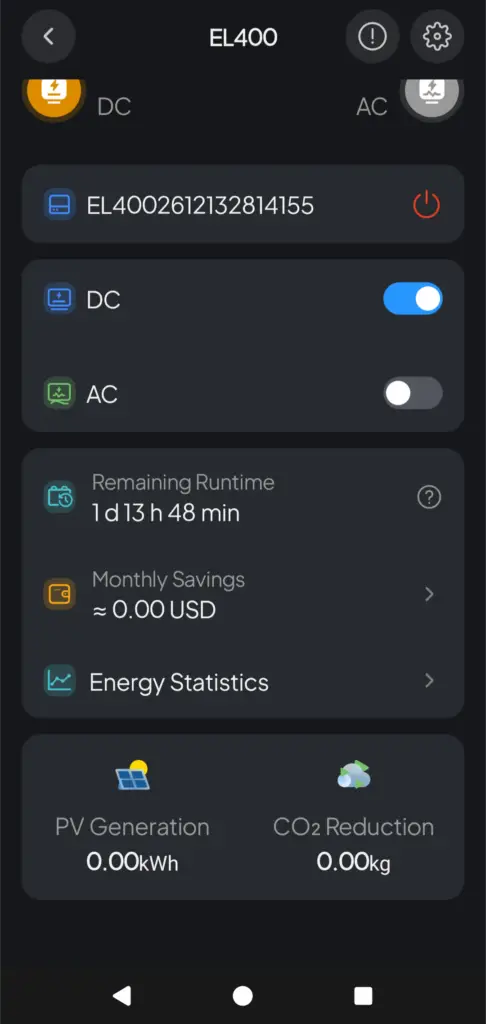
Wi-Fi and Bluetooth connect the unit to the BLUETTI app, which is handy when the station sits under a desk or behind appliances. The app shows battery state of charge, incoming power, connected load and estimated runtime, which helps you see how a change in equipment draw shortens the backup window. With solar connected, it also estimates monthly savings. Pass-through charging keeps connected equipment running while the unit takes external power.
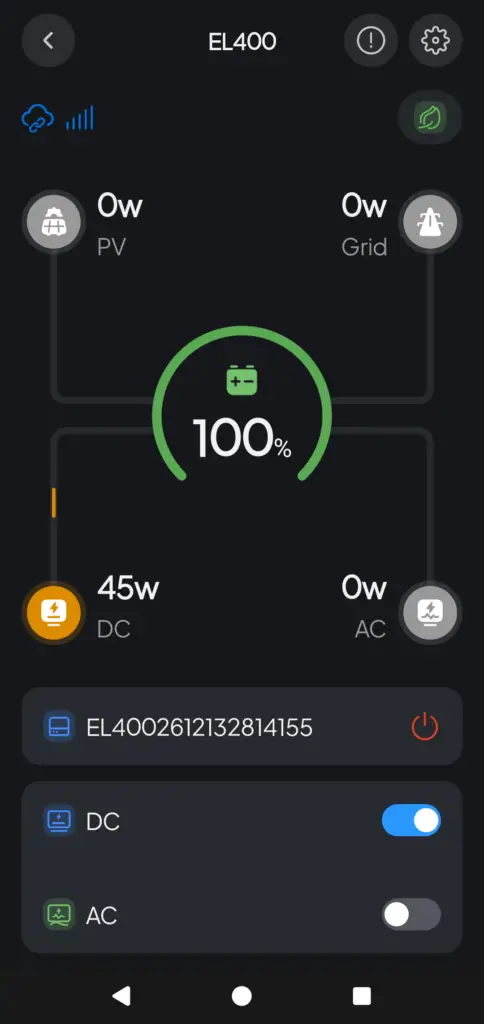
If you've used another BLUETTI unit, the app will look familiar. The testers didn't find new functionality on the Elite 400 beyond what the earlier models already offered.
Price, warranty and how it compares
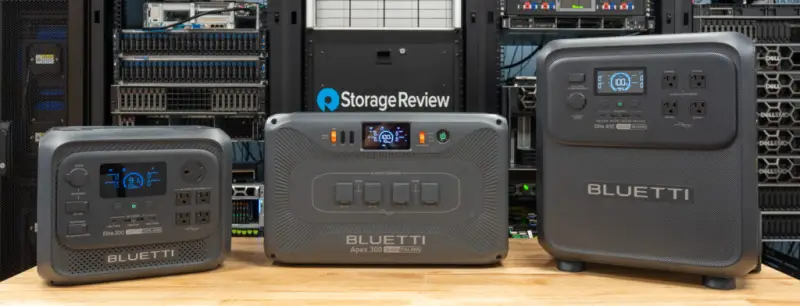
The Elite 400 sells for $1,399 USD and carries a five-year warranty. The Elite 300 listed at $1,199 when it was reviewed in August. For the extra money you get 27 percent more rated capacity and about 15 percent more delivered energy, but you lose two connections and 200W of solar input. AC input is the same at 1,800W on both.
The Elite 200 V2 sits lower in the range, with a 2,073.6Wh rated battery and 1.91kWh delivered in testing. Its figures are useful as a reference point when you're asking how much runtime the extra money buys.
Solar and vehicle setups add accessory costs, and bundles can change the total. Price each one before comparing against the Elite 300.
What to check before you buy
The Elite 400 is a credible backup option for a home office, a network closet or a single-level household that needs a few essentials to stay on. The bigger battery and wheels make it easier to justify than a smaller unit where runtime matters more than portability.
Before you commit, check four things. Confirm that your equipment tolerates the 6ms and 14.8ms transfers, and don't put a data server or a workstation with an uninterruptible requirement on it as a substitute for a true online UPS. Map your loads against the 1,920W per-outlet guidance. Confirm the transport route, because 86 pounds on rough ground or stairs is a real constraint. And if you need RV or 12V/30A connections, the Elite 300 remains the better match for that job.
If BLUETTI follows the pattern of the earlier Elite models, the next thing to watch is whether the switchover and solar figures hold up across firmware updates and different panel arrays. For now, the Elite 400 is a bigger, heavier and more mobile version of a familiar product, with fewer ports and a clear set of trade-offs. Plan around the 1,800W input, the 1,920W outlet guidance and the weight, and it fits well.
Specifications in this article come from BLUETTI's US product page for the Elite 400 as of October 31, 2026. BLUETTI Elite 400 product page


