Energy-Smart Hardware for Local Web Servers Starts With Measured Draw
- [email protected] (The Network DNA)
- 976 views
Local web servers often draw more power than their workload needs. Measure real demand, size the supply carefully and keep monitoring consumption over time.

A local web server can pull more electricity than its workload seems to justify, and the gap usually sits in places people don't check. The processor, storage and network interface all matter, but so does the power architecture. It shapes energy use, heat output and how long the hardware lasts. My read is that most energy problems in home labs and edge boxes come from skipping the measurement step, not from picking the wrong CPU.
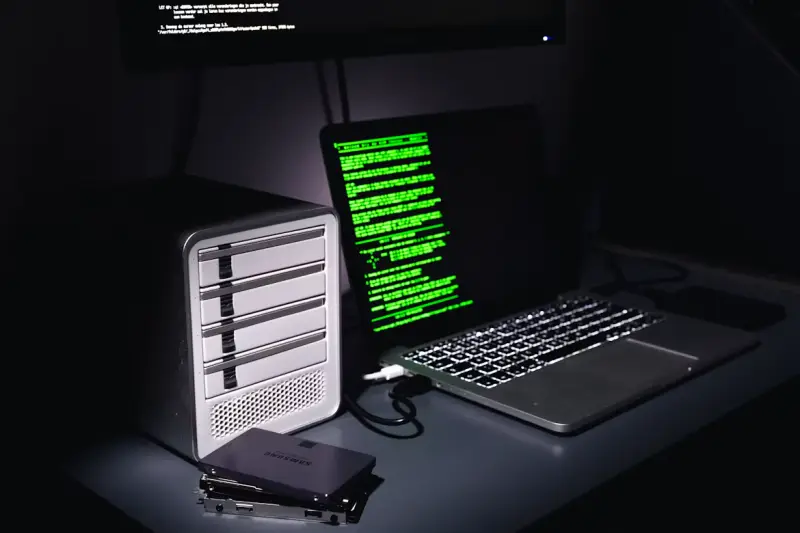
The advice here applies to home labs, edge servers and compact systems that host local websites or development environments. These machines often run around the clock while nobody watches them, which is exactly why small inefficiencies add up.
Measure the Draw Before You Buy Anything
Start with real numbers. Record consumption while the system is idle, while it serves normal traffic, and during a sustained job such as indexing files or processing backups. A plug-in power meter gives you a whole-system reading. Onboard sensors can help you find the demanding components, which is especially useful in power over Ethernet setups where the power path carries more than just the server.
Use the highest repeatable reading as your baseline, then add roughly 20% to 30% headroom for startup surges, future storage and short spikes in workload. Don't size everything from a processor's rated power. Memory, cooling fans and drives all draw energy, and a spec sheet rarely tells you how they behave together. A survey of energy-efficient techniques gives useful background on reducing consumption across computing systems if you want the broader picture.
Why Conversion Losses Quietly Cost You
An AC/DC converter never hands every watt from the wall to the server. Say a system needs 80 watts and its supply runs at 80% efficiency. The wall draw is 100 watts. The missing 20 watts becomes heat, which pushes fans harder and raises the cooling load in the room.
Efficiency also shifts with load, and that's the part people miss. A supply may hit its best rating near half load and perform noticeably worse when the server sits idle. Local servers spend long stretches at low utilization, so compare efficiency curves across the range you actually expect, not just the headline figure. A gap of a few percentage points looks trivial on a datasheet. Over 24 hours a day for several years, it's a real line item.
Choosing the Supply Without Overbuying
Define input voltage, the DC outputs you need and peak demand before you look at hardware. Engineers building embedded or industrial server appliances can review AC/DC power supplies designed around efficiency, safety, reliability and compact size. Whatever you shortlist, check it against the electrical and thermal requirements your system has to meet. A supply that looks good on paper but runs hot in your enclosure isn't a good supply.
Mounting matters too. Give the unit clear air movement and follow the manufacturer's clearance and mounting guidance. Keep heat-producing parts away from temperature-sensitive storage where you can. And don't forget standby draw. The management controller and networking hardware often stay powered after the main compute load shuts down, so an idle box can still pull more than you'd guess.
Footprint Versus Thermal Reality
A smaller supply simplifies the enclosure, but power density drives cooling. Cramming high output into a tight space can create a hot spot. That shortens capacitor life or forces small fans to spin faster, which brings its own noise and wear. Read the derating curves to see how much output you keep as ambient temperature climbs. The number on the label assumes conditions your closet may never meet.
Aim for a unit that covers the measured peak without sitting near its limit for long periods. A server drawing 90 watts under load might suit a 120-watt supply, provided startup demand and thermal conditions stay inside specification. Going much bigger has a cost. The supply spends most of its life below its efficient range, so any extra capacity needs a clear reason to exist.
Keep Watching After Day One
A single spot reading tells you little. Set up monitoring that logs watts and energy over time. Smart plugs will do for a basic install. Managed power units and current sensors give you better data once you're running several systems. Configure alerts for unusual jumps, then line those events up against processor load, storage activity and temperature logs. That's usually where the explanation shows up.
Hardware data also reveals what software changes do to the power bill. Background services can keep processors busy without improving anything the site serves, and the research on software energy consumption is a useful reference for thinking about that. A practical method is to record a seven-day baseline, change one configuration item, and compare the following seven days under similar traffic. That approach tends to expose inefficient scheduled tasks, sleep states that never engage and excessive logging before those habits become permanent costs.
Finish with a full-load test inside the completed enclosure, not on the bench. Stable output, acceptable component temperatures and a clear consumption baseline tell you the server is ready for continuous local operation. Here's the thing: that baseline is also your reference point the next time the box starts drawing more than it should, so record it while you have the chance.


