Using Claude for Cisco Automation: Where It Saves Time and Where It Needs Supervision
- [email protected] (Route XP)
- 394 views
Claude can draft Cisco configs, turn CLI routines into Netmiko scripts and triage syslog. Here's where it earns its place and where engineers still need to check its work.

The most useful thing a language model does for a network engineer isn't writing clever code. It's clearing the repetitive, syntax-heavy work that eats an afternoon: building a routing template from memory of the docs, turning a sequence of show commands into something repeatable, or reading a few thousand syslog lines to find the one event that matters. Used that way, Claude can cut a lot of CLI fatigue. Used carelessly, it can produce configuration that looks right and isn't.
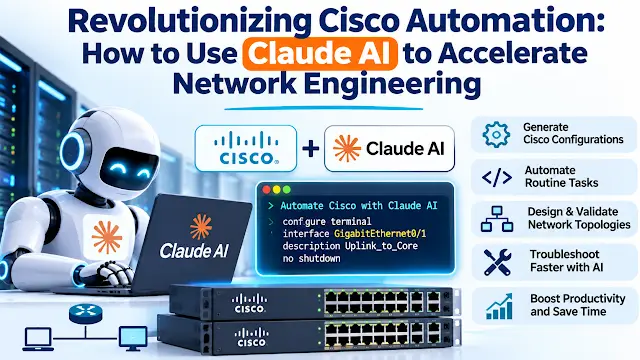
Here's how I'd approach it if I were bringing Claude into a Cisco-heavy environment, with the guardrails that matter most.
Why Claude for network work
Plenty of engineers started with ChatGPT and then tried Claude on real tasks. The source material behind this piece highlights three areas where Claude is commonly chosen for technical work:
- Large context window. You can paste a substantial running configuration from IOS-XE or NX-OS and ask questions about the device as it actually is, not as a generic example.
- Code quality. Claude is frequently used to write Python built on Netmiko, NAPALM and Nornir, the libraries most Cisco-focused automation work relies on.
- Reasoning on structured data. Routing tables, interface counters and log sequences are the kind of input where a model can help you spot patterns quickly.
The claim that Claude hallucinates less than competing models is one you should test on your own kit rather than accept on reputation. Run the same prompts against two or three tools, check the output against a lab device, and keep notes on where each one gets things wrong.
Generating configuration snippets
Looking up the exact syntax for a BGP route map or a multi-area OSPF design is a common time sink. A well-framed prompt can produce a starting template in seconds. The prompt pattern worth copying is less about wording and more about constraints. Specify the platform (IOS-XE, NX-OS), the interfaces by name, the behaviour you want on each one, and the authentication method. In the example used in the source, the request asks for OSPF Area 0 on two named GigabitEthernet interfaces, passive by default, with OSPF enabled only on those two, and MD5 authentication for the area.
That kind of constraint list is exactly what a model handles well, and it's also what you should check line by line. Passive-interface behaviour is an easy place for a draft to drift from intent, so compare the output against what you actually want the adjacencies to do. Claude will typically add verification commands such as show ip ospf neighbor, which gives you a built-in test. Run those on the lab device before anything else.
From CLI routine to Python
This is where the time savings compound. If you already run a fixed set of show commands every week, perhaps checking trunk status across a set of switches, you can paste those commands into Claude and ask for a Netmiko script that does the same thing and prints the results. The source's example uses ConnectHandler with the cisco_ios device type and sends show interfaces trunk. That's a sensible shape for a first script: one device, one read-only command, printed output.
Don't copy the example's connection block as written. It hardcodes a username and password, which is the habit you want to break. Pull credentials from environment variables or your secrets store, and handle host lists from an inventory file rather than editing the script for each switch. Once the single-device version works in the lab, the move to Nornir or a loop over an inventory is usually straightforward, and so is adding error handling for unreachable hosts.
Log triage and root cause
Anyone who has chased a flapping BGP session or an OSPF adjacency that drops and recovers knows how fast syslog grows. Pasting the output of show logging into Claude, and asking it to identify the likely root cause, can get you to a hypothesis faster than scrolling. The source suggests asking whether there are signs of interface errors or packet loss, and requesting three commands to verify the conclusion. That last part is the most valuable habit: make the model propose the next checks, then run them yourself.
Treat the answer as a list of hypotheses, not a diagnosis. A model reading a log excerpt doesn't see your topology, your change history or the interface counters that were never logged. Use it to narrow the search, then confirm with the device.
Data hygiene comes first
Before any config goes into a chat window, scrub it. The practical checklist is short: remove IP addresses, hostnames, and every secret, including passwords and keys. Your prompts end up in a provider's systems and, depending on your plan and settings, may be retained. Check your organisation's policy on third-party AI tools before uploading anything from production, and keep the scrubbing step in the workflow rather than relying on someone to remember it.
Where it falls short
The main risk isn't obvious nonsense. It's output that is syntactically clean and logically wrong for your environment: a route policy that matches the wrong prefix list, an interface range that catches a management port, or an authentication setting that conflicts with a neighbour. Those errors survive a quick glance. The only reliable defence is testing in a simulator such as Cisco CML or GNS3 before touching hardware, and comparing the generated commands against Cisco's own documentation for the software version you run.
Also remember that Claude generates text. It doesn't push configuration to devices. You still need an automation layer, whether Python with Netmiko, Ansible or a controller, to apply anything. The platforms that suit this kind of automation best are the ones with NETCONF or RESTCONF support, such as IOS-XE and NX-OS. Older platforms that only offer Telnet or SSH will work, but expect more screen-scraping and more brittle scripts.
What to do this week
Start with something low-risk. Pick one read-only task you run often, write the Netmiko version with Claude's help, test it against a lab switch, and add it to your team's runbook only after a peer has reviewed it. Use Claude for log analysis on a past incident you already understand, so you can judge its suggestions against the known answer. Those two exercises will tell you more about where the tool helps your team than any benchmark will.
The engineers who get the most out of this will treat the model as a fast, tireless junior colleague whose drafts always get reviewed. That keeps your judgement where it belongs and spends the time saved on the architecture problems that really need a human.


